


TEAM SAP Vista
Typically replies in a few hours

Customer Care Team
Hi there
How can i help you today?
How can i help you today?

Start Whatsapp Chat


-- >https://bell-sw.com/pages/downloads/#jdk-21-lts
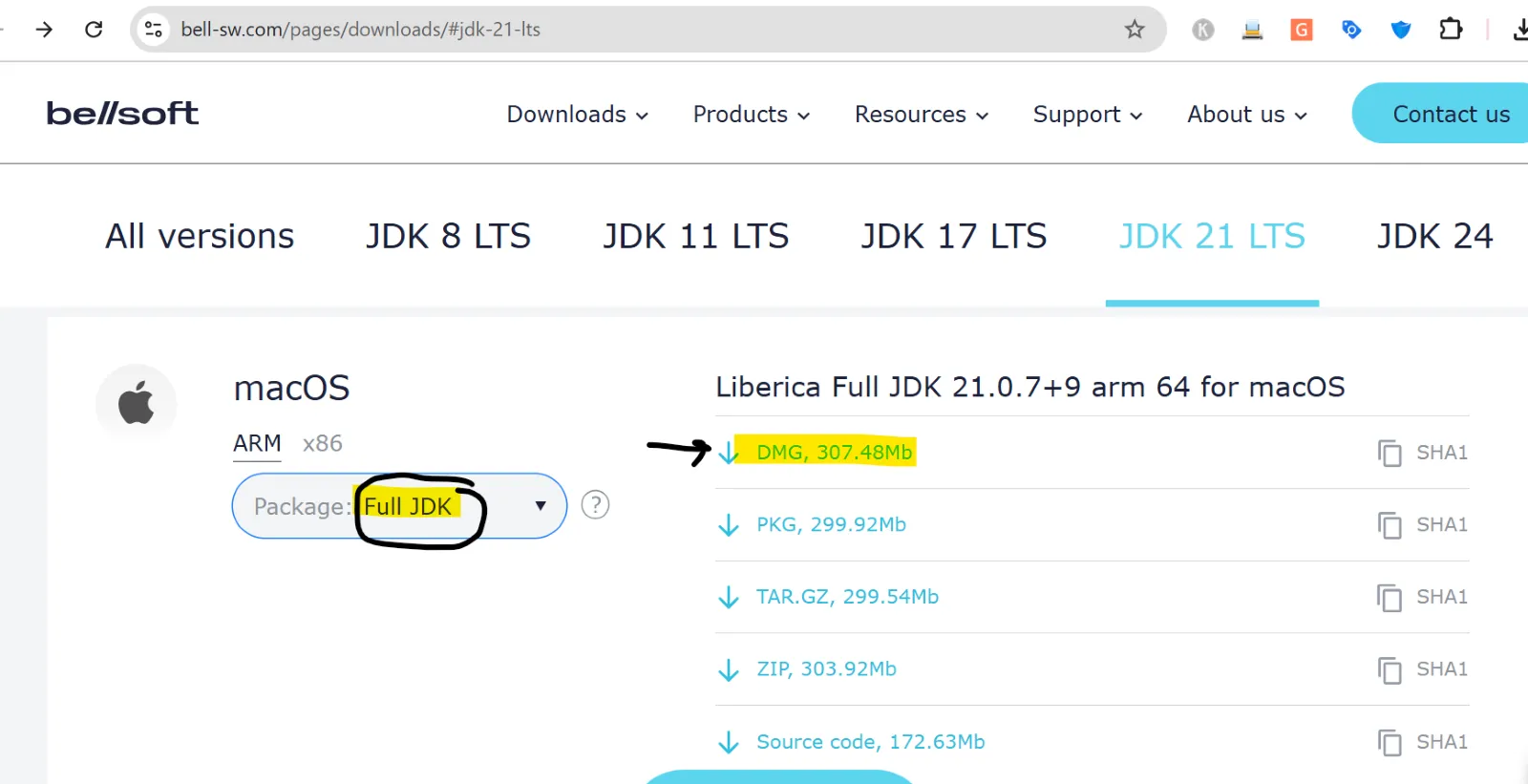
Once the installation is completed: follow the steps
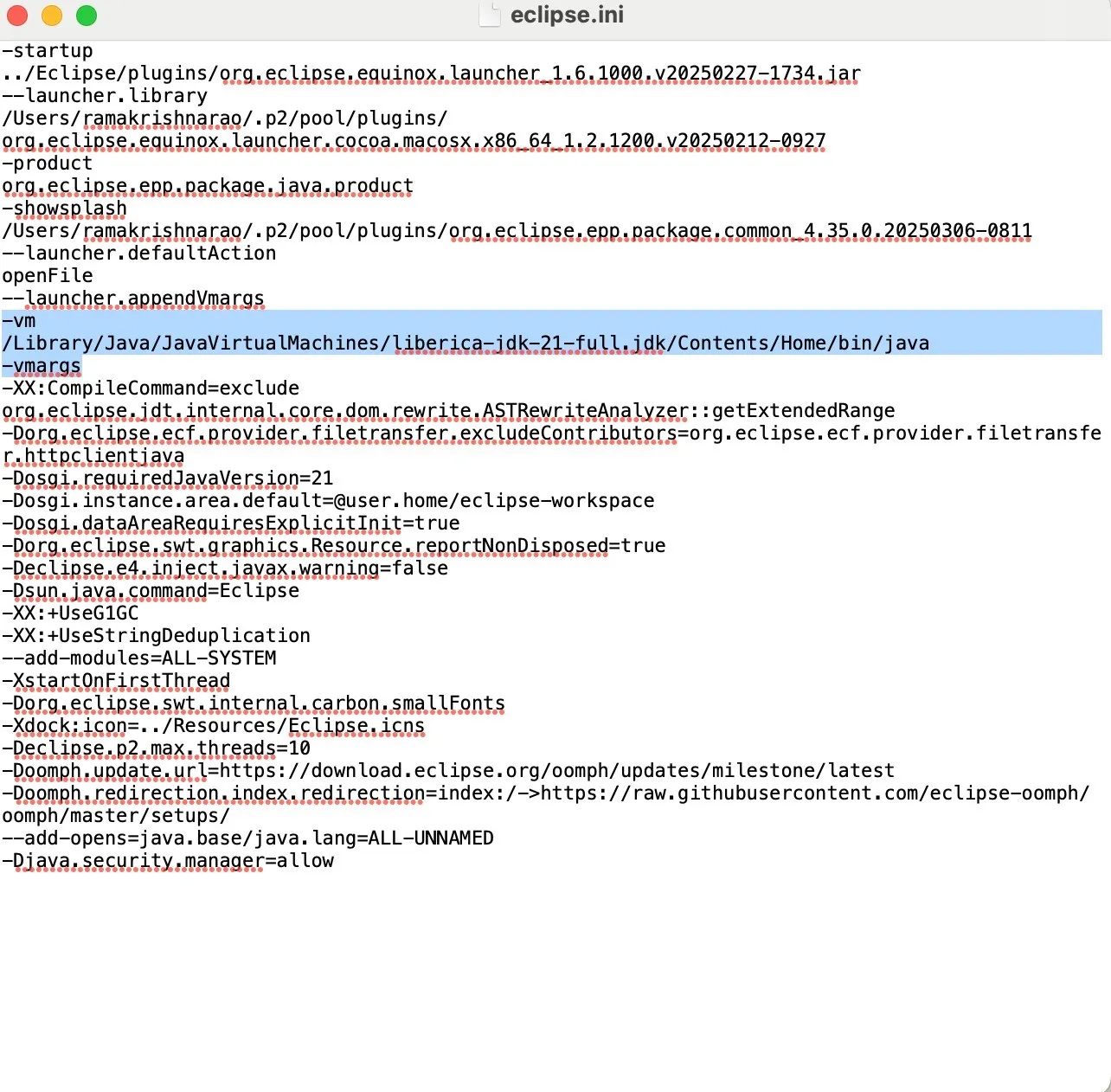
Locate the eclipse.ini file:
Typically found in:
✦ Open it with a text editor (nano, TextEdit, or Visual Studio Code)
✦ Add the following before the -vmargs line:
(AS SHOWIN IN THE BELOW SCREEN SHOT )


16192 Coastal Highway,
Lewes, DE 19958
Call us : +1 302-514-1166

Call us : +91-9059811078

.webp)


.webp)


